What Raedia is
Raedia is a local-first media server that drives screens — projectors and LED walls over standard HDMI / DisplayPort — with a strong real-time mapping engine. It mixes video, images, live camera and generated visuals on the GPU, warps the result precisely onto physical surfaces, and lets a single operator drive the whole show live from the keyboard, a MIDI or OSC controller, the music itself, a lighting desk, or a phone (Pro).
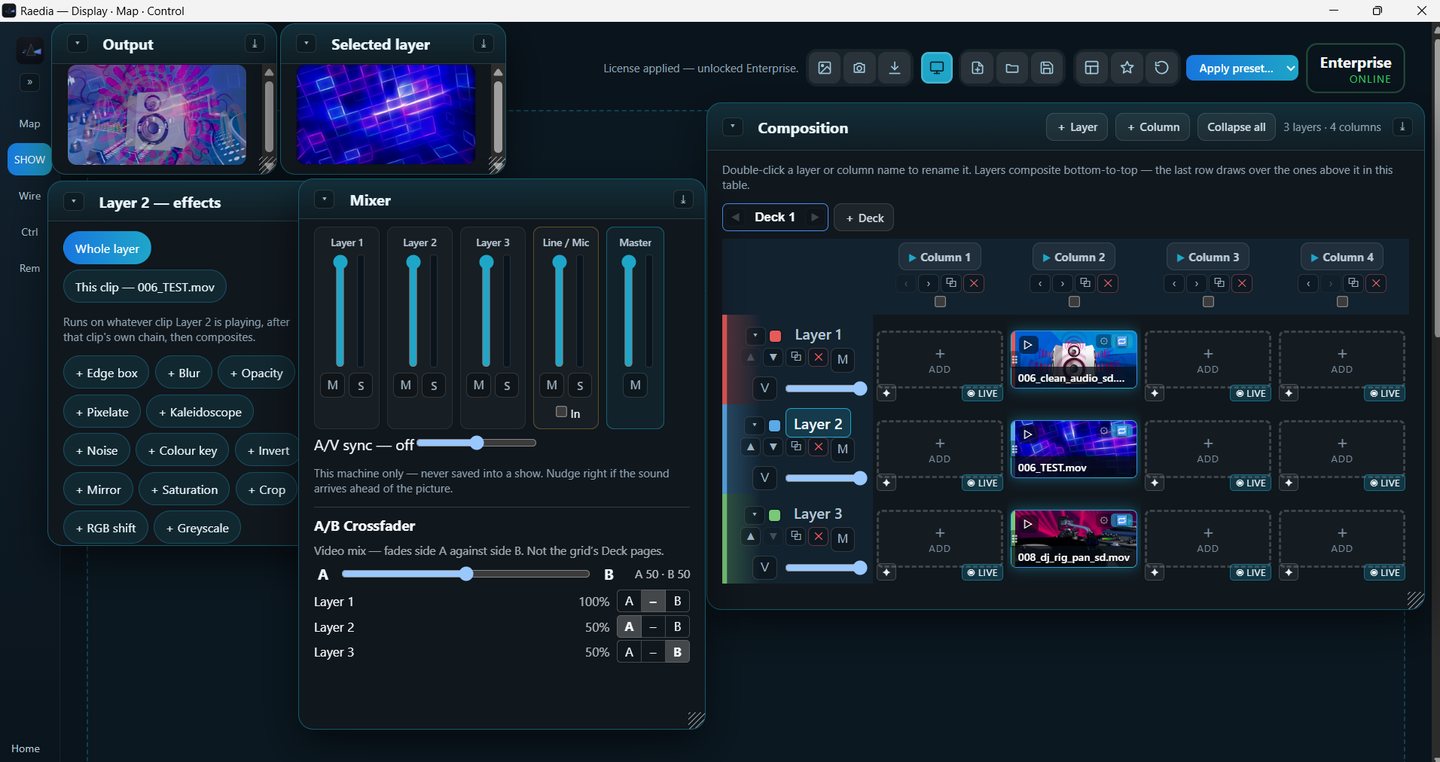
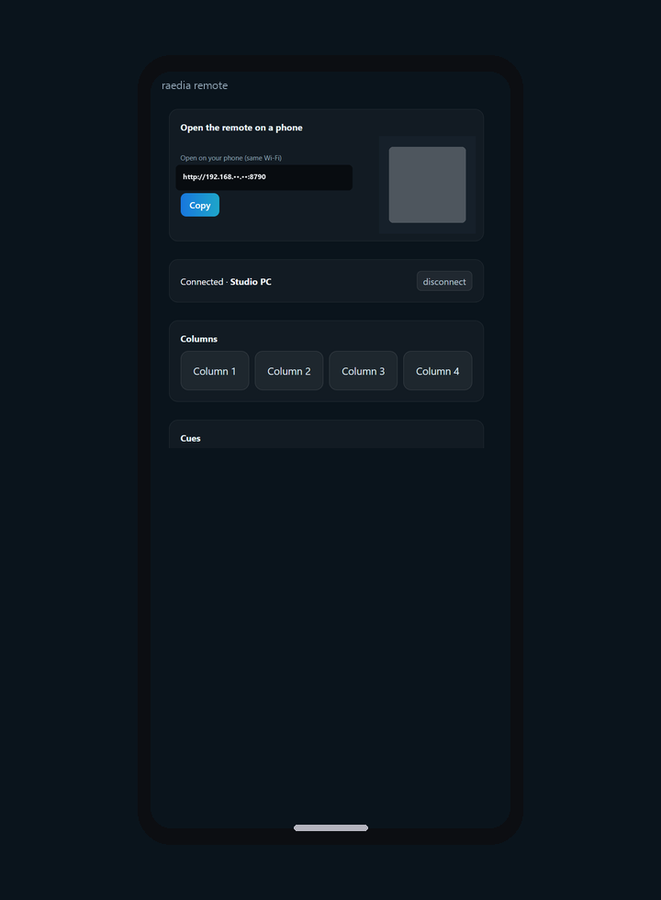
It is built on one clear position: Resolume-grade power with consumer-grade ease. The differentiator is a mapping surface a non-technical operator can actually run on the night. Pro adds a phone remote, with no app to install.
VJs and club nights · houses of worship · corporate & live events · installations and set pieces · anywhere content must land precisely on a physical screen and be driven live. Windows-first and available now. A Codexa product.
Headline capabilities
Display
Real-time layer & clip compositing on the GPU, with effects, blend modes, groups, transforms, transitions and an A/B crossfader. Build the show with undo, cues and Autopilot, and let clips follow the beat.
Map
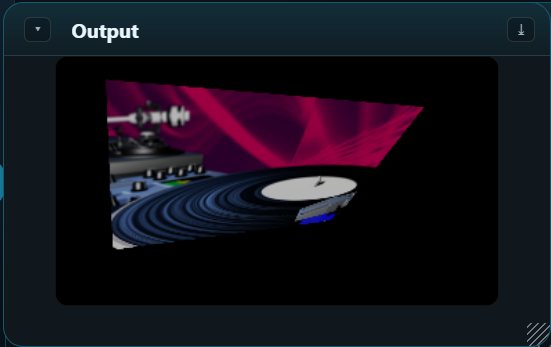
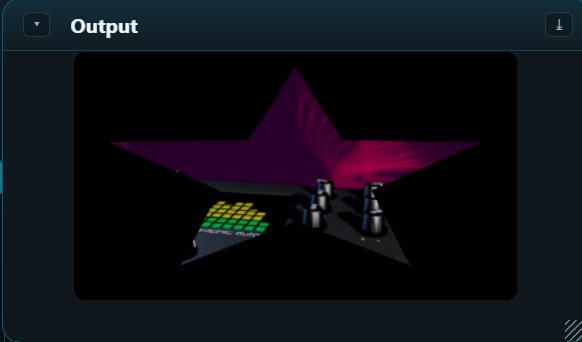
Two screens full frame with Rotate and output presets in every plan. Pro adds projection mapping — keystone, mesh (N-point) warp, masks, soft-edge blending, more than two screens and virtual screens — plus LED-wall mapping over standard display output.
Control
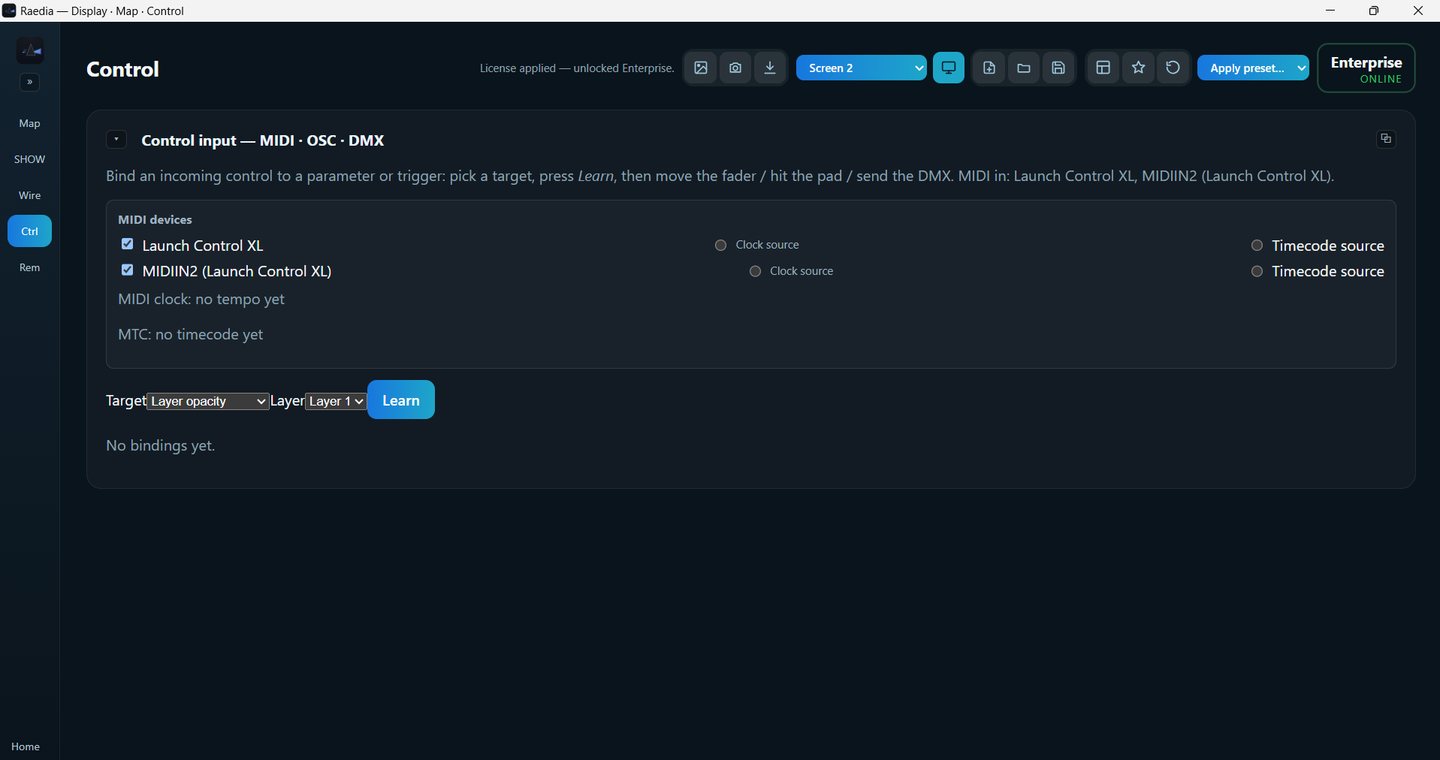
MIDI and OSC control with Learn, your own keyboard keys, beat and audio mapping and OSC out in every plan. Pro adds timecode cues, MIDI clock in and out, DMX in and DMX / Art-Net / sACN out, and the phone remote.
The feature list, in brief
Full feature matrix
Every feature and where it stands in the current version. The Plan column shows whether it is in both Core and Pro, or in Pro only. The 30-day trial is the full Pro version. Core or Pro, side by side →
Show building
| Feature | Status | Plan |
|---|---|---|
| Composition size, name and frame rate (25, 30, 50 or 60 fps) | Built | Core · Pro |
| Layers · columns · decks — up to 20 each | Built | Core · Pro |
| Clips (fit / fill / stretch / original, loop, speed) | Built | Core · Pro |
| Per-layer opacity & blend modes (Normal / Add / Multiply / Screen / Overlay / Difference / Exclude) | Built | Core · Pro |
| A/B crossfader | Built | Core · Pro |
| Clip & column transitions (duration + easing) | Built | Core · Pro |
| Copy / paste, clear, rename | Built | Core · Pro |
| Undo & redo (Ctrl+Z / Ctrl+Y, 100 steps) | Built | Core · Pro |
| Groups — own level, blend, effects, bypass and solo | Built | Core · Pro |
| Transform — move, size and turn a clip, a layer, a group or the whole composition | Built | Core · Pro |
| Cues — save the live columns as a cue, fire it by click or Shift+1–9 | Built | Core · Pro |
| Autopilot — move to the next, previous, a random or the first clip when a clip ends | Built | Core · Pro |
Media & sources
| Feature | Status | Plan |
|---|---|---|
| Video and audio playback, hardware-decoded (H.264 and more) | Built | Core · Pro |
| HAP and HAP Q | Built | Core · Pro |
| Animated GIF and WebP | Built | Core · Pro |
| Convert to HAP button (makes copies, originals kept) | Built | Core · Pro |
| A bad clip fails on its own; the rest of the show plays on | Built | Core · Pro |
| Still images | Built | Core · Pro |
| Live camera / capture cards | Built | Core · Pro |
| NDI in · Spout in | Built | Core · Pro |
| Text generator/animator · generators (solid, gradient, plasma, noise, fractal, shapes, test card) | Built | Core · Pro |
| Media Manager (relink missing media) | Built | Core · Pro |
| ProRes codec | In development | — |
Effects & blend
| Feature | Status | Plan |
|---|---|---|
| GPU effects + effect framework | Built | Core · Pro |
| Per-clip & per-layer effect stacking | Built | Core · Pro |
| Parameter animation (Animate and looping keyframes) | Built | Core · Pro |
| Blend modes · feathered masks · 3D (.cube) LUTs | Built | Core · Pro |
| ISF shader support (runtime-loaded) | Built | Core · Pro |
| FFGL 2.0 plugin support | In development | — |
Tempo, audio & sync
| Feature | Status | Plan |
|---|---|---|
| Audio mixer (layer, master and external levels) · External in: sound from any recording device, with a delay to line it up | Built | Core · Pro |
| BPM detection from the music · tap tempo · typed tempo | Built | Core · Pro |
| Beat-sync — clips follow the show tempo and can start on the beat | Built | Core · Pro |
| Beat & audio mapping — the beat, the bass, mids, highs or level drive a setting | Built | Core · Pro |
| MIDI clock in as the tempo source | Built | Pro |
| Timecode cues — fire a cue at a time from MIDI timecode (MTC) | Built | Pro |
Output & mapping
| Feature | Status | Plan |
|---|---|---|
| Two screens, full frame | Built | Core · Pro |
| Rotate (quarter turns and free angle) | Built | Core · Pro |
| Output presets — output setups saved in the show | Built | Core · Pro |
| Alignment test grid | Built | Core · Pro |
| More than two screens (third output and beyond) | Built | Pro |
| Regions · input selection vs output transformation | Built | Pro |
| Corner (perspective) and mesh (N-point) warp | Built | Pro |
| Masks & silhouette presets | Built | Pro |
| Edge blending / soft edge | Built | Pro |
| Virtual screens — plan a screen with no display attached | Built | Pro |
| NDI out | Built | Core · Pro |
| Spout out | Built | Pro |
Control
| Feature | Status | Plan |
|---|---|---|
| Keyboard shortcuts (1–9 fire columns) · Quick Search | Built | Core · Pro |
| Keyboard keys — map your own keys | Built | Core · Pro |
| MIDI control in (several devices, Learn) | Built | Core · Pro |
| OSC control in (Learn) | Built | Core · Pro |
| OSC out — send levels, tempo, beats and fired clips to other software | Built | Core · Pro |
| REST / HTTP API | Built | Core · Pro |
| MIDI clock out | Built | Pro |
| DMX / Art-Net / sACN in (as control) | Built | Pro |
| DMX / Art-Net / sACN out | Built | Pro |
| Phone remote — pair a phone and run the show from it | Built | Pro |
Interface & workflow
| Feature | Status | Plan |
|---|---|---|
| Detachable / floating panels · redock & snap | Built | Core · Pro |
| Named layout presets · save-as-default · reset | Built | Core · Pro |
| Preview monitors — output, selected layer and composition | Built | Core · Pro |
| Pop-out preview windows (they come back where you left them) | Built | Core · Pro |
| Snapshots — named saved copies of the whole show | Built | Core · Pro |
| Export video (HAP .mov) | Built | Core · Pro |
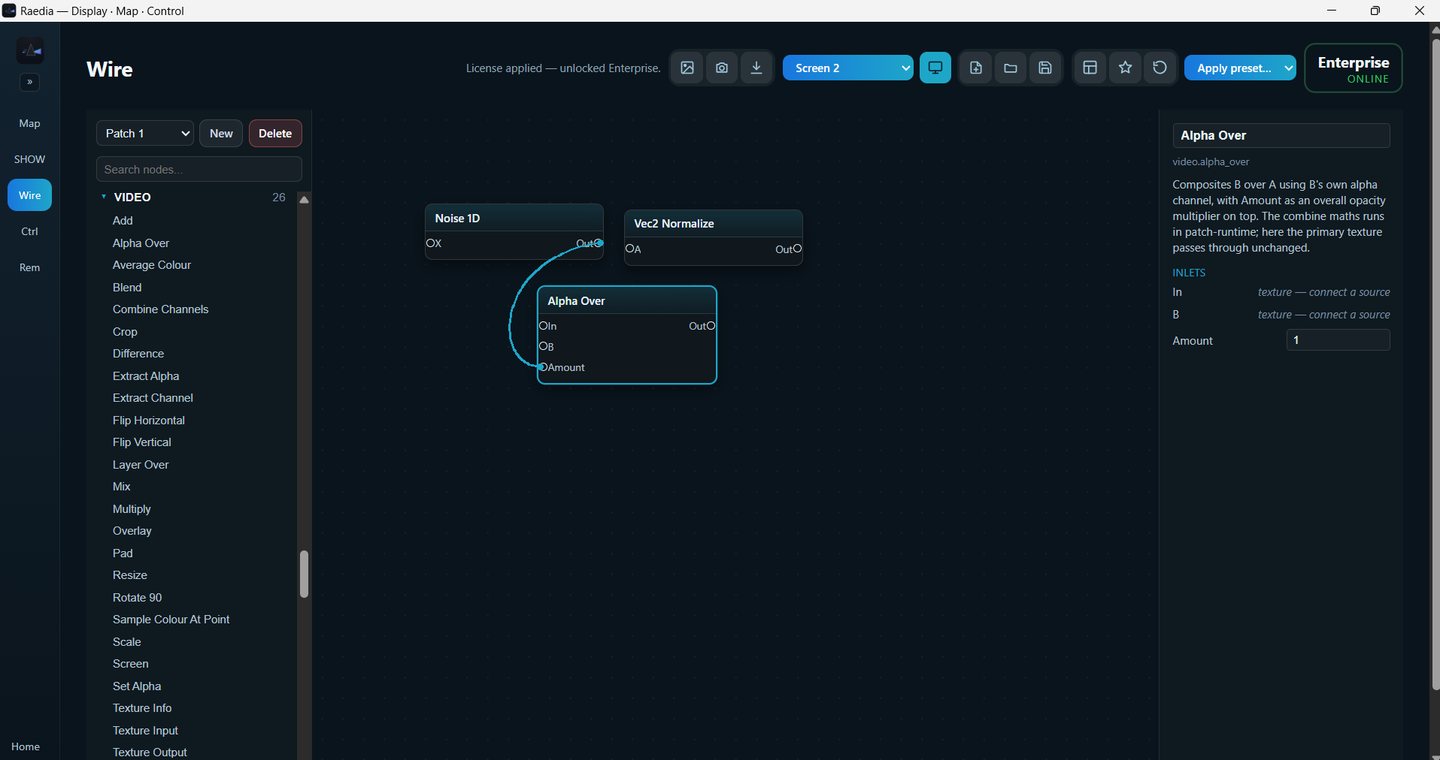
| Wire node patcher (custom sources, effects and logic) | Built | Core · Pro |
System, licensing & deployment
| Feature | Status | Plan |
|---|---|---|
| Online activation · one computer per licence | Built | — |
| Offline grace (keeps running without internet) | Built | — |
| Demo mode (watermark, no saving) · 12 months of updates on a bought-once licence | Built | — |
| Backup-instance / multi-server allowance | In development | — |
| Windows 10 / 11 | Built | — |
| Cross-platform (macOS) | Planned | — |
Technical specifications
| Area | Specification |
|---|---|
| Architecture | Native Windows application (Tauri 2 shell) with a Rust + wgpu real-time GPU compositor at its core. |
| Rendering | GPU compositing pipeline (DirectX 11 class). Layers, effects, blend modes, masks, LUTs and warps run on the graphics card. |
| Video decode | Hardware decode via D3D11 / DXVA and Windows Media Foundation, with a concurrency gate that falls back to software for additional streams. |
| Codecs | HAP and HAP Q (GPU-friendly), animated GIF and WebP, and common formats such as H.264 through Windows' own decoders. A Convert to HAP button makes HAP copies of your clips. ProRes is in development. |
| User interface | React / TypeScript desktop interface with dockable panels, saved layouts and pop-out preview windows. Pro adds a phone remote that opens in the phone's browser. |
| Show data model | 100% local — SQLite plus a single .raedia JSON bundle holding layers, clips, mapping, control bindings and panel layout. No cloud dependency at show time. |
| Outputs | One or more physical displays (HDMI / DisplayPort) as full-mix or region-mapped outputs; network output; per-region assignment. |
| Mapping engine | Arbitrary regions; corner (perspective) and mesh (N-point) warp; polygon masks with silhouette presets; edge blend; rotate; per-region colour; alignment grid; output presets. |
| Effects engine | Built-in GPU effects; per-clip and per-layer chains; animatable parameters with keyframes; runtime-loaded ISF shaders; 3D LUTs. FFGL plugins are in development. |
| Audio & tempo | Per-clip audio; layer, master and external mixer channels; External in takes sound from any recording device (a camera or capture card too), with a delay to line it up. BPM detection from the music, tap tempo, beat-sync and beat / audio mapping to any setting. Pro: MIDI clock in and timecode cues from MIDI timecode (MTC). |
| Control I/O | MIDI (multi-device) and OSC in with Learn, your own keyboard keys, OSC out, REST/HTTP API. Pro: DMX / Art-Net / sACN in and out, MIDI clock out, phone remote. |
| Interop sources | NDI receive, Spout receive, DirectShow/MF capture devices. |
| Reliability | Release build tuned for frame-time headroom. A clip that cannot play fails on its own and the rest of the show carries on. Show data is saved locally and the last session is restored on start. |
| Licensing | Ed25519-signed licences, one computer per licence, online activation with offline grace. |
| Platform | Windows 10 / 11, 64-bit. macOS port planned. |
System requirements
| Component | Minimum | Recommended |
|---|---|---|
| Operating system | Windows 10 (64-bit) | Windows 11 (64-bit) |
| Graphics | DirectX 11-capable GPU | Modern discrete GPU with ample VRAM |
| CPU | Modern quad-core | 6–8+ cores for heavy decode + capture |
| Memory | 8 GB RAM | 16–32 GB RAM |
| Storage | SSD | NVMe SSD for high-bitrate media |
| Display output | 1 × HDMI / DisplayPort | Multiple outputs for multi-screen / edge-blend |
| Network | Internet once, to activate the licence | Wired LAN for NDI, OSC and Art-Net / sACN |
Match GPU and storage to your target resolution, layer count and codec, and run your own footage through the trial before a show: how many layers play smoothly depends on the files as much as on the machine.
Licensing & editions
Raedia is licensed to be undramatic on the night: activate once, then the show runs whether or not you're online. This describes the model; current editions and prices are on the pricing page.
| Element | How it works |
|---|---|
| Trial / demo mode | A 30-day trial key unlocks the full Pro version: no watermark, and saving works. Without a key, or once a trial has ended, Raedia runs in demo mode: everything still works, the output carries a watermark and saving is off. Your show is preserved — unlock to continue. |
| Activation | Buy on the web and your signed key is emailed to you. Paste it into the app under Home → Licence (or start from Unlock Raedia →). Keys are cryptographically signed (Ed25519) and locked to one computer. |
| Editions | The pricing page offers a Core and a Pro licence after a 30-day trial: pay monthly, or buy it once and keep it forever with a year of updates included. One computer per licence. Payment is in rand through PayFast or in US dollars through Paddle, depending on your country. What each plan includes is set out under Core or Pro. |
| Offline grace | An entitled seat keeps its tier however long it is off the internet — never cut off mid-show for a missed check-in. |
| Updates | A bought-once licence includes 12 months of updates and keeps working after that; later versions need an optional paid upgrade. Raedia never updates itself: a bar tells you when a new version exists, and its button opens the download page. |
| Multi-machine | Backup-instance and multi-server allowances for larger deployments are in development. |
The installer is code-signed by CODEXA SOFTWARE (Pty) Ltd. On a new release Windows SmartScreen may still show a notice on first install until that release builds reputation. If it does, check the publisher name and choose More info → Run anyway to install.
Core or Pro
Both plans mix, play and put a clean picture on a screen, and both take MIDI and OSC control. Pro is everything: it maps your content onto real surfaces, drives more than two screens, links to the lighting desk and puts the show on your phone.
| What you get | Core | Pro |
|---|---|---|
| Clean output with no watermark · save and reopen your shows | ✓ | ✓ |
| Layers, columns and decks · every source: video, HAP and HAP Q, GIF and WebP, stills, camera, NDI in, Spout in, text, generators | ✓ | ✓ |
| GPU effects, looping keyframes, blend modes, layer masks, LUTs and ISF shaders | ✓ | ✓ |
| Mixer, A/B crossfader, transitions, snapshots and video export | ✓ | ✓ |
| Undo and redo, composition name and frame rate, cues and Autopilot | ✓ | ✓ |
| Groups, and layer and group transform | ✓ | ✓ |
| BPM detection, tap tempo and beat-sync | ✓ | ✓ |
| Convert to HAP button · a bad clip fails on its own | ✓ | ✓ |
| Wire node patcher | ✓ | ✓ |
| Preview monitors and pop-out windows | ✓ | ✓ |
| Send to up to two screens, full frame, with Rotate | ✓ | ✓ |
| Output presets — output setups saved in the show | ✓ | ✓ |
| MIDI and OSC control in, with Learn · your own keyboard keys · beat and audio mapping | ✓ | ✓ |
| OSC out — send levels, tempo and fired clips to other software | ✓ | ✓ |
| Two screens, full frame — a second output beside the first | ✓ | ✓ |
| More than two screens (third output and beyond) and virtual screens | — | ✓ |
| Regions — send different parts of the canvas to different surfaces | — | ✓ |
| Corner and mesh warp and masks — fit an angled projector, a curved surface or a set piece | — | ✓ |
| Edge blend — two projectors, one seamless image | — | ✓ |
| NDI out — send the output to other machines and apps over the network | ✓ | ✓ |
| Spout out — share the output with Resolume, OBS and TouchDesigner on the same computer | — | ✓ |
| Phone remote — run the show from your phone | — | ✓ |
| MIDI clock in and out · timecode cues from MIDI timecode (MTC) | — | ✓ |
| DMX in and DMX / Art-Net / sACN out — work with the lighting desk | — | ✓ |
Core runs up to two screens that sit square to their picture: a club backdrop, a lobby wall, one or two projectors straight on, with your MIDI controller or OSC app on the faders. The moment a projector sits at an angle, the surface is not a rectangle, there are more than two screens, the lighting desk needs to talk to the visuals, or you want the show on your phone, you need Pro. The 30-day trial is the full Pro version, so you can map your real room before you choose, and a Core licence can be upgraded to Pro later.
Start the 30-day Pro trial → See prices
↑ ContentsAt a glance
| Product | Raedia — GPU-native media server for live visuals, projection mapping & LED-wall control |
| Category | VJ / media server / projection mapping |
| Positioning | Resolume-grade power, consumer-grade ease |
| Platform | Windows 10 / 11 (64-bit) · macOS planned |
| Status | Available now |
| Publisher | Codexa · Cape Town, South Africa |
| Web | raedia.dev |